50 Sailor Flat Multicolor Icons: A Designer's Nautical Toolkit
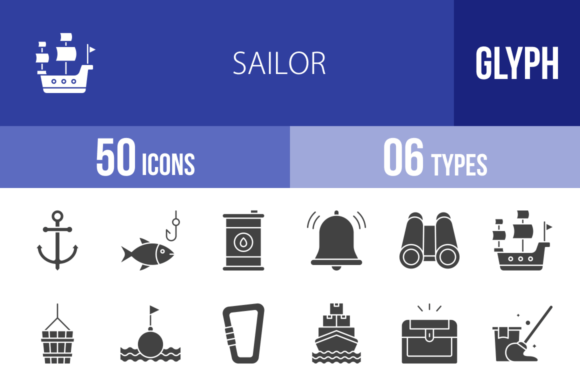
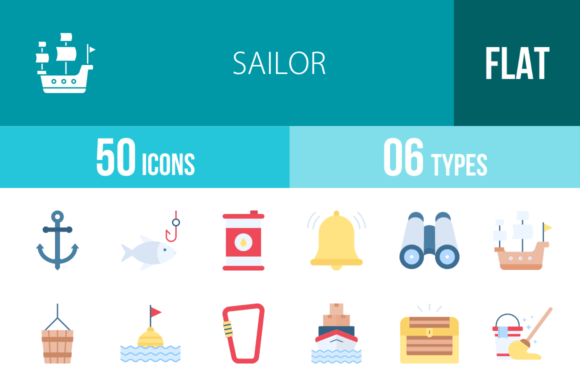
When you're building a brand or designing a digital product, the right visual assets can make all the difference. Generic icons feel impersonal, while overly complex illustrations can clutter a layout. The 50 Sailor Flat Multicolor Icons collection strikes a rare balance—it offers a cohesive, professional, and deeply thematic set of design assets that are immediately recognizable yet versatile enough for serious commercial use. This isn't just a random assortment of sea-themed clipart. It's a thoughtfully curated library designed with a unigrid system, ensuring every icon from the Anchor to the Windrose shares consistent proportions, line weights, and visual rhythm.
More Than Clipart: The Anatomy of a Professional Icon Set
What separates a premium icon set from a free download? It's often in the details you don't see at first glance. This collection of 50 Sailor Flat Multicolor Icons is built on a unigrid system, meaning each icon is constructed within a standardized grid. This guarantees that the Compass will align perfectly next to the Binoculars on a navigation bar, and the Life Vest will sit at the same visual weight as the Anchor in an infographic. The flat, multicolor style is modern and clean, avoiding unnecessary gradients or shadows that can date a design. The personality is friendly and approachable, yet confident—ideal for projects that need to convey reliability, adventure, or clarity without looking cartoonish.
The practical value is immense. You receive the icons in six formats: AI, CDR, EPS, JPG, PNG, and SVG. This covers virtually every workflow. The vector formats (AI, EPS, SVG) are essential for logo design and packaging design, allowing you to scale the Lighthouse or Submarine to billboard size without losing a pixel of sharpness. The PNG files with transparent backgrounds are ready for immediate use in web design, social media graphics, or presentation templates. JPGs work for quick mockups or print. This multi-format delivery is a hallmark of a premium font or asset package, respecting that professionals work across different software and platforms.
Where These Icons Shine: Practical Applications
Let's move beyond theory. Where would you actually use these? The applications are surprisingly broad. For a small business owner running a maritime tour company, rental service, or seafood restaurant, this set is a branding goldmine. Use the Sailor Hat or Boat as a simplified logo mark. The Anchor, Steering Wheel, or Rum bottle can become recurring motifs on menus, business cards, and website headers, building a consistent brand identity that's instantly recognizable.
Content creators and marketers will find endless uses in digital spaces. The icons are perfect for creating custom social media graphics for travel blogs, adventure podcasts, or lifestyle brands. Imagine a series of Instagram Stories using the Compass for "direction" posts, the Treasure Map for "tips and guides," and the Message in a Bottle for audience Q&As. In editorial design—whether for a magazine, e-book, or online publication—these icons can break up text, illustrate concepts, and guide the reader's eye. A feature on sustainable fishing could use the Fishing Rod, Fishing Net, and Life Buoy as subtle, thematic pull-quotes or bullet points.
For UI/UX designers and those building mobile apps or websites, the consistency of the unigrid system is critical. You can use the Radio, Radar, and Binoculars for a navigation or communication section of an app. The First Aid Kit and Oxygen Tank are perfect for safety information in adventure or fitness apps. Because they are designed for maximum usability, they will remain clear and identifiable even at small sizes on a mobile screen or in a complex dashboard interface.
Integrating Icons into Your Design Workflow
Having a great asset is one thing; using it effectively is another. When incorporating the 50 Sailor Flat Multicolor Icons into a project, start by defining their role. Are they decorative, functional, or both? For a web design project, you might use the Buoy as a decorative element in a footer, but the Compass and Anchor could be functional icons for "Explore" and "Save" buttons. The multicolor aspect offers creative freedom, but exercise restraint. Using all 50 colors at once will create visual noise. Instead, select a palette of 2-3 colors from the icons that align with your brand identity or project palette to maintain cohesion.
Think about font pairing in a broader sense. Icons are a type of visual language that must work in harmony with your chosen typeface. A bold, geometric sans serif font often pairs well with flat icons, as both share a clean, modern aesthetic. A more traditional serif font could work for a heritage or luxury nautical brand, creating an interesting contrast between old and new. The key is to ensure the visual weight and style of the icons don't clash with your typography. Test them side-by-side in a mockup before finalizing.
Finally, remember the licensing. This is a commercial font and asset package, meaning you're paying for the right to use it in client work and commercial projects without legal headaches. This is a significant advantage over "free" icon sites with ambiguous licenses. It's a professional investment that protects you and your clients. The 100 vector icons (50 unique designs) provide a solid foundation for a wide range of projects, from a single logo to a full-scale website redesign, making it a valuable addition to any designer's toolkit.