Evaluating the 50 Winter Glyph Icons: A Practical Guide for Designers and Developers
When the temperature drops and the holiday season approaches, the demand for seasonal assets spikes. For designers, developers, and content creators, finding the right visual language to convey "winter" without resorting to clichés or low-quality graphics is a persistent challenge. The 50 Winter Glyph Icons set presents itself as a comprehensive solution, offering a curated collection of 100 vector icons designed specifically for this season. However, before integrating any asset library into a workflow, it is crucial to evaluate its technical specifications, design philosophy, and practical application against your specific needs.
Understanding the Core Asset: What Are the 50 Winter Glyph Icons?
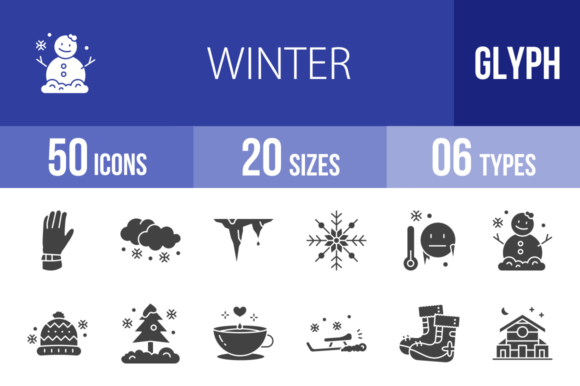
At its foundation, this collection consists of 50 distinct winter-themed glyphs, effectively doubling to 100 icons through variations. The set covers a wide semantic range, from weather phenomena like Snowing, Icicles, and Low Temperature to seasonal activities such as Ice Skating Shoe, Ice Hockey, and Riding Sled. It also includes essential apparel and objects like the Warm Cap, Long Boots, and Fireplace.
What distinguishes the 50 Winter Glyph Icons from generic stock imagery is the underlying design system. These icons are built using a unigrid system. For the uninitiated, a unigrid ensures that every icon, regardless of its subject matter—whether it is a Tree in Snow or a Cable Car—occupies the same visual weight and dimensions. This consistency is vital for UI/UX designers who need to align icons within navigation bars, dashboards, or feature lists without manual adjustment. If you have ever struggled with icons that look "off" next to each other due to inconsistent padding or stroke weight, the unigrid approach solves this by enforcing mathematical harmony across the entire set.
Technical Flexibility: Formats and Scalability
A significant advantage of the 50 Winter Glyph Icons is the breadth of file formats provided: AI, CDR, EPS, JPG, PNG, and SVG. This variety indicates that the set is designed for cross-functional teams rather than just one specific type of user.
- Vector Formats (AI, CDR, EPS, SVG): These are essential for scalability. Whether you are designing a massive billboard or a tiny mobile app footer, vector formats ensure the icons remain crisp. The inclusion of SVG is particularly relevant for modern web development, allowing for lightweight, responsive graphics that load quickly.
- Raster Formats (JPG, PNG): These are useful for quick implementation in presentations, email newsletters, or social media graphics where editing source files is unnecessary.
When comparing this to other icon sets, some libraries only offer SVGs or PNGs. The inclusion of native vector editing files (AI and CDR) allows for deep customization. You can easily change the stroke width, alter colors to match a specific brand palette, or combine elements—perhaps merging the Christmas Star with the Tree with no leaves—to create custom compositions.
Design Philosophy: The "Glyph" Aesthetic
The term "glyph" implies a specific visual style: usually monochromatic, silhouette-based, or outlined, focusing on the essential shape of the object. This style is distinct from flat design (which uses multiple colors and shadows) or realism.
The strength of the glyph style found in the 50 Winter Glyph Icons is its maximum usability. Because these icons rely on simple shapes, they are often easier for users to recognize at small sizes, such as on a mobile screen. For example, the Snowflake or the Warm Sock will remain legible even at 16x16 pixels, a size where detailed illustrations often turn into muddy noise.
However, this minimalist approach involves trade-offs. If your project requires a playful, cartoonish, or "cute" aesthetic—perhaps for a children's game or a whimsical holiday card—a stark glyph style might feel too corporate or austere. In such cases, you might need to supplement these icons with more illustrative assets. But for professional contexts, such as weather apps, travel websites, or corporate holiday communications, the clean lines of the 50 Winter Glyph Icons provide a polished, authoritative look.
Comparing Use Cases: Where Do These Icons Fit Best?
Evaluating the "best fit" for the 50 Winter Glyph Icons requires looking at the specific scenarios and platforms you are targeting.
Mobile and Web Applications
For mobile app developers, the "Ready to use for all devices" claim is a major selling point. The SVG format is particularly beneficial here. Developers can use the Umbrella with Snow or Warm Jacket icons as interactive elements without worrying about pixelation on high-resolution Retina or 4K screens. Furthermore, because the icons are vector-based, they can be animated using CSS or JavaScript—imagine a subtle shaking animation for the Low Temperature icon or a falling effect for the Snowing glyph.
Presentations and Print
In the realm of presentations (PowerPoint, Keynote) and print materials (brochures, flyers), the 50 Winter Glyph Icons offer a distinct advantage over stock photography. Photos can be heavy, slow to load, and difficult to edit. In contrast, these glyphs are lightweight. You can easily recolor the Fireplace or Warm Tea icons to match your slide deck’s theme. For print, the vector formats ensure that the Ice Top Mountain or Wood Cabin will print sharply, even if the resolution of the source printer is extremely high.
Illustration and Templates
For designers creating templates—such as planners, calendars, or social media kits—the 50 Winter Glyph Icons serve as excellent building blocks. They are not just standalone images; they are design elements. A designer could use the Marked Date icon in a calendar app or the Present icon for a "Gift Guide" blog post header. The ability to edit these vectors means they can be integrated seamlessly into larger compositions.
Decision Factors: When to Choose This Set vs. Alternatives
When deciding whether to invest in the 50 Winter Glyph Icons, consider the following factors compared to alternatives like open-source icon libraries or custom illustration.
- Consistency vs. Variety: Open-source libraries often have thousands of icons, but they are frequently contributed by different artists, leading to inconsistent styles. One icon might have rounded corners while another has sharp edges. The 50 Winter Glyph Icons set guarantees visual consistency across all 100 assets because they were designed as a cohesive unit.
- Cost vs. Time: Hiring an illustrator to create 50 custom winter icons is expensive and time-consuming. Stock icon sets offer a middle ground: you get professional, pre-designed assets at a fraction of the cost. The trade-off is that competitors might use the same icons. However, because the vectors are editable, you can modify the Christmas Ball or Candy icons to add a unique twist, mitigating the "stock" look.
- Specificity: This set is highly specialized. It includes niche items like Fishing, Moose, and Sliding. If your project is specifically about winter sports or seasonal activities, this specificity is a massive time-saver. If you need a general-purpose UI set (e.g., "Settings," "Home," "User Profile"), this is not the right choice, as it is purely thematic.
Practical Limitations and Considerations
No asset is perfect for every situation. While the 50 Winter Glyph Icons are versatile, there are limitations to consider.
First, the "glyph" style implies a lack of color by default. While this is an advantage for flexibility, it requires the user to have a basic understanding of how to apply color or integrate monochromatic icons into a colorful design without them looking washed out or out of place.
Second, while the set covers many winter themes, it is finite. If your project requires obscure winter-related imagery not listed—such as a specific type of sled or a rare winter bird—you may find the set lacking. In such cases, you would need to source additional icons, potentially breaking the visual consistency of your design.
Finally, the effectiveness of these icons depends on the context of your user interface. On a website with a very "flat" design aesthetic, these glyphs will blend in well. On a site that uses heavy 3D effects or skeuomorphism, the flat, unigrid icons might look out of place.
Conclusion: Is it the Right Choice?
The 50 Winter Glyph Icons set is a robust, technically sound, and aesthetically consistent resource for anyone needing to represent winter themes digitally or in print. Its strength lies in its unigrid system, ensuring visual harmony, and its multi-format availability, ensuring technical flexibility.
It is the right choice for you if:
- You are building a mobile app, website, or presentation with a seasonal theme.
- You value consistency and need icons that align perfectly in size and weight.
- You require vector files (SVG, AI, EPS) for scalability and editing.
- Your aesthetic preference leans toward clean, minimal, and professional glyphs rather than cartoonish illustrations.
Conversely, if you need a playful, highly detailed, or photorealistic style, or if your project requires a vast library of general UI icons beyond the winter theme, you may need to look elsewhere. However, for the specific niche of winter and holiday design, this collection provides a practical, high-quality toolkit that balances usability with professional design standards.