A Practical Guide to the 50 Approved and Rejected Icons Set for Your Digital Projects
When you're developing a mobile app, designing a website, or creating presentation materials, the small visual cues you use carry significant weight. Status indicators, in particular, need to be instantly recognizable to users. The "50 Approved and Rejected Icons" set is a specialized collection designed to address this need. It provides a clear visual vocabulary for actions like confirming a transaction, denying a request, or signaling a system status. This set isn't just a random assortment of symbols; it's a curated toolkit built around a core theme of binary outcomes—approval and rejection—across various contexts like finance, communication, and user verification.
What Exactly Is This Icon Collection?
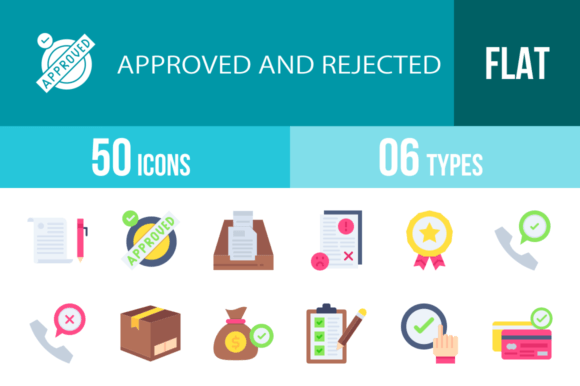
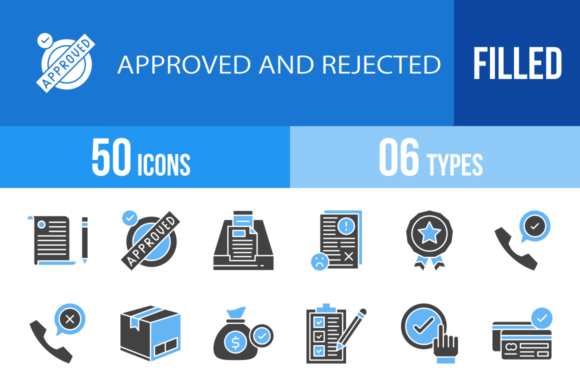
At its core, this is a bundle of 100 vector icons—50 distinct concepts, each provided in both an "approved" and "rejected" visual style. The designs go beyond simple checkmarks and crosses. You'll find context-specific icons like a Credit Card Approved versus a Credit Card Rejected, a Face Recognition Approved versus a Face Recognition Rejected, and a Speech Bubble Approved versus a Speech Bubble Rejected. This specificity is a key differentiator. It allows designers to communicate precise outcomes without relying on generic symbols, which can reduce user confusion and improve interface clarity.
The collection is built using a unigrid system, which means each icon adheres to consistent geometric principles. This ensures that whether you place a Thumbs Up next to a Document Approved or a Shield next to a Stamp Rejected, they will align harmoniously in size and visual weight. For a designer, this systematic approach saves considerable time during implementation, as there's no need to manually adjust icons to make them look like they belong together.
Comparing the Formats: AI, CDR, EPS, JPG, PNG, SVG
A major strength of this set is its delivery in six different file formats. This isn't just a convenience feature; it's about workflow compatibility. Here’s how the formats typically break down in practical use:
- Vector Formats (AI, CDR, EPS, SVG): These are essential for scalability. If you need to resize a Mobile Check icon from a small UI element to a large print banner, these formats ensure no loss of quality. SVG is particularly crucial for modern web and app development due to its small file size and flexibility with CSS.
- Raster Formats (JPG, PNG): These are ready-to-use for quick implementations. PNG files with transparency are ideal for web overlays, while JPGs can be useful for presentations or documents where file size is a concern and transparency isn't needed.
When comparing this to alternative icon sources, this multi-format offering stands out. Many free icon sites provide only SVG or PNG, which might require conversion for use in specific design software like CorelDRAW (CDR) or Adobe Illustrator (AI). Having all formats included streamlines the handoff between designers and developers.
Evaluating the Design Philosophy and Usability
The icons are described as being designed for "maximum usability." This translates to clean lines, clear symbolic meaning, and avoidance of overly decorative elements that can become muddy at small sizes. Consider the Approved and Rejected variants of a Laptop icon. The distinction likely relies on a universally understood symbol (like a checkmark or X) integrated into the object's form, rather than complex color coding alone. This is important for accessibility, as it doesn't rely solely on color to convey meaning.
However, it's wise to consider the style's fit for your project. This set appears to favor a modern, flat design aesthetic. If your brand uses a highly illustrative, skeuomorphic, or hand-drawn style, these icons might feel out of place. In such cases, you might need to commission custom icons or find a set that matches your specific visual language. The strength of this particular collection lies in its clarity and neutrality, making it a strong contender for corporate applications, SaaS dashboards, e-commerce flows, and financial software where unambiguous communication is critical.
Practical Applications and Best-Fit Scenarios
Where does a set like the 50 Approved and Rejected Icons truly shine? Let's explore a few realistic scenarios:
- E-commerce Checkout Flow: Using a Cardboard Box for shipping, a Cash Bag Approved for a successful payment, and a Delivery Box Rejected for a failed delivery attempt provides clear, step-by-step feedback to the customer.
- Mobile Banking App: Icons for Password Approved (successful login), Transaction Approved, and Card Rejected (due to limits) offer immediate, non-verbal status updates, reducing user anxiety.
- Internal HR Software: The Hired and Rejected icons, or Document Approved for a signed contract, can streamline internal dashboards for hiring managers.
- Print Materials and Presentations: The inclusion of high-resolution JPGs and scalable vectors makes these icons suitable for infographics, reports, and slide decks where you need to illustrate processes like approval workflows or feedback mechanisms.
The collection also includes icons for broader concepts like Agreement, Policy, Feedback, and Procedure. These can be used to create visual legends or section headers in documentation, helping to break up text and guide the reader's eye.
Limitations and When to Consider Alternatives
No single icon set is perfect for every situation. One potential limitation is the fixed set of 50 concepts. If your project requires highly niche icons (e.g., for a specific medical device or a unique piece of industrial equipment), you may need to supplement this set with custom work or source additional icons elsewhere, which could lead to style inconsistencies.
Furthermore, while the "filled blue and black" color scheme is versatile, it's not customizable out of the box in the provided files. If your brand requires icons in a specific palette (e.g., green for approved, red for rejected), you will need to use the vector files to manually change the colors—a straightforward task for a designer but an extra step nonetheless.
When evaluating this set against the vast ocean of free icon libraries, the decision often comes down to cohesion and time savings. Free icons are plentiful but rarely form a perfectly matched set. Mixing and matching from different sources can result in a disjointed look. The 50 Approved and Rejected Icons offer a unified design language, which is a significant advantage for professional projects where visual consistency is paramount.
Making Your Decision
Choosing this icon set is less about it being the "best" in an absolute sense and more about it being the right tool for the job. It excels in projects that require clear, binary status communication within a modern digital interface. The value is in the curated specificity, the systematic design grid, and the comprehensive file formats.
Before purchasing, audit your project's needs. List the specific actions and statuses you need to represent. If they align closely with the 50 concepts provided—and your design aesthetic is compatible—this set could significantly accelerate your design and development process. If your needs are more general or your style is highly unique, you might benefit from exploring broader icon libraries or investing in custom icon design to achieve the exact look and feel your project demands.
Ultimately, the goal is to choose resources that reduce friction in both your workflow and your end-user's experience. A well-chosen icon set does exactly that by providing a silent, intuitive language that guides users effortlessly through your application or document.