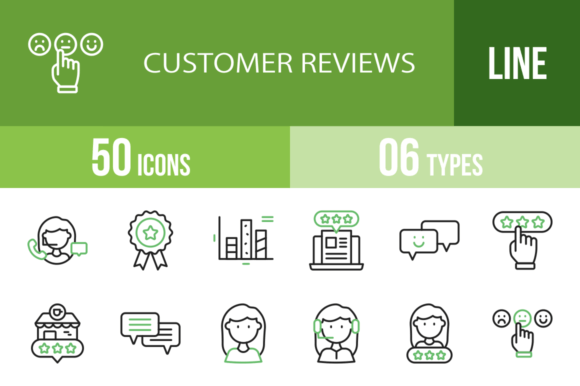
50 Customer Reviews Green Black Icons for Modern Design
Building trust with your audience often comes down to how you present social proof. Whether you are designing a mobile app interface, a website landing page, or a presentation deck, visual cues that signal customer feedback are essential. The 50 Customer Reviews Green Black Icons set is a design asset created specifically for this purpose. It provides a cohesive visual language for everything from star ratings to detailed feedback forms, helping you communicate credibility instantly. This collection is not just a random assortment of graphics; it is a system designed for clarity and impact across a multitude of platforms.
A Cohesive Visual System for Feedback and Trust
This icon set features a distinct personality built on a dual-tone palette of green and black. This color choice is intentional and strategic. Green universally signals positivity, growth, and approval, making it perfect for highlighting good reviews, satisfied customers, and positive feedback. Black, on the other hand, provides a strong, neutral foundation for icons that are more generic or structural, like a speech bubble or a notification bell. The result is a set that feels both professional and approachable.
The style is modern and clean, avoiding overly complex illustrations in favor of clear, recognizable symbols. Each icon is designed using a unigrid system, which ensures that every element, from the simple "Thumbs Up" to the more detailed "Premium Website" icon, shares the same visual weight and proportional harmony. This consistency is crucial when you need to use multiple icons together in a single design. You can pair the "Star Review" with the "Comment" icon without them looking disjointed. The overall appeal is one of organized professionalism, making it suitable for corporate presentations, e-commerce websites, and user interface design alike.
Where These Icons Shine: From Apps to Print
The true value of a design asset lies in its versatility. This set of 50 Customer Reviews Green Black Icons is built for real-world application across a wide spectrum of projects. For web design and mobile app development, these icons are immediately useful. Consider using the "Mobile Review" icon next to an app store rating section, or the "Website Review" icon for a testimonial carousel. The "Customer Satisfaction" and "Dissatisfied" icons can be integrated into feedback forms, giving users a quick, visual way to express their experience. Their clean lines ensure they remain legible even at smaller sizes on a mobile screen.
Beyond digital interfaces, these assets are valuable for marketing and branding. A small business owner creating a social media graphics campaign can use the "Positive Review" or "Good Review" icon to overlay on customer testimonial images. The "Shopping Bag," "Shopping Basket," and "Shopping Cart" icons, while not directly about reviews, fit seamlessly into the set's theme for e-commerce projects. For editorial design and publishing, a blogger could use the "Blog Review" or "Document Review" icon to visually break up text and highlight key points in an article. The "Email" and "Notification Bell" icons are perfect for newsletter designs or promotional materials.
For packaging design and physical products, the icons can be adapted for print. Imagine a product box featuring a subtle "Premium" or "Trophy" icon to denote quality. The "Ranking" and "Rating" icons could be used on shelf talkers or point-of-sale materials. The set's six different file formats—AI, CDR, EPS, JPG, PNG, SVG—ensure you have the right tool for any job, whether you are editing vectors in Adobe Illustrator or placing a high-resolution image in a Canva template.
Practical Guidance for Integrating These Icons
Choosing the right design assets is about more than just aesthetics; it's about fit and function. Before integrating the 50 Customer Reviews Green Black Icons into a project, take a moment to evaluate the context. The green accent color should complement your existing brand identity, not clash with it. If your brand uses a very different color palette, you might need to use the black-only versions of the icons or consider how the green can be a strategic highlight.
Testing is key. When designing a logo design or a key brand identity element, you would not choose a font without seeing it in context. Apply the same principle here. Place the "Customer Operator" or "Agent" icon next to your contact information. Does it feel appropriate? Use the "Speech Bubble" and "Multiple Reviews" icons in a mockup of your website's testimonial section. Check for clarity and visual hierarchy. Does the icon draw the right amount of attention without overwhelming the text?
Think about font pairing in a broader sense. These icons are a visual typeface. They should pair well with your chosen typography. If your site uses a clean sans serif font, these modern icons will likely integrate smoothly. If you use a more traditional serif font or a script font, test the pairing to ensure the icons don't look out of place. The goal is a cohesive design system where all elements—typography, color, imagery, and icons—work together to build a professional and recognizable brand identity.
Finally, consider the narrative you are building. Each icon tells a small story. The "Timer" might suggest quick service. The "Coffee Shop Review" evokes a specific, relatable scenario. The "Technical Service" icon implies expertise. Choose the icons that best support the specific message of your project. This thoughtful selection process elevates your design from simply using assets to strategically crafting an experience for your audience, ultimately strengthening their trust and engagement with your brand.